






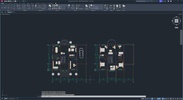
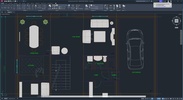
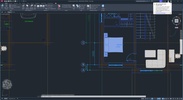
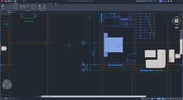
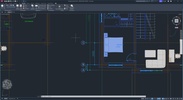
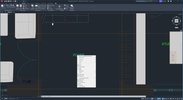

AutoCAD is an advanced computer-aided design (CAD) app that places the most precise tools in your hands to help you create plans, models, and documentation in both 2D and 3D. Used by millions of architects, engineers, designers, and construction professionals, AutoCAD allows you to design and annotate geometry, work with solids, surfaces, mesh objects, and make precise edits thanks to its powerful commands and intelligent functions.
Automation and efficiency
To make your work simpler, AutoCAD allows you to automate repetitive tasks. You can compare drawings, insert objects, create tables, and program custom routines using AutoLISP, APIs, and additional apps. The integrated AI tools can detect and process annotations, identify digital marks, and suggest design blocks, optimizing your time and minimizing errors. AutoCAD features seven tool groups for certain specializations, including architecture, mechanics, electrical design, industrial plants, and topography.
Collaboration and mobility
AutoCAD also includes collaborative options, allowing you to access your projects stored in the cloud from anywhere, whether on your desktop, on the web version, or on the mobile app. This level of connectivity allows you to share designs, review and approve documents, and make real-time modifications with your team, keeping the latest version available for all participants to see.
The utmost precision
The app integrates tools to annotate, dimension, and document every aspect of your models, with advanced controls for reference, layers, line styles, and fonts. With features like Markup Import and Markup Assist, you can import handwritten and digital annotations, and the AI-assisted system will take care of identifying any instructions to update your drawings automatically. Compliance with industry standards and the ability to export to DWG formats make it easier to share and present work to clients and collaborators.
Full customization
AutoCAD allows you to configure the workspace the way you want it: Create custom interfaces, macros, and quick menus, and add extensions from the Autodesk Marketplace to adapt the app to any professional workflow. Advanced users can deploy scripts and add-ons to integrate custom functions, optimizing the experience in larger projects or specialized sectors.
How much does AutoCAD cost?
AutoCAD is a paid tool, but you can use the trial version free for 7 days before deciding whether you want to purchase it or not. Additionally, students and teachers can use it for free for one year to familiarize themselves with the app before using it professionally. When you subscribe, you can install AutoCAD on up to three devices, with just a single user able to access the app at a time.
Download AutoCAD for Windows and create the most precise and advanced designs in both 2D and 3D.


 10 reviews

















Comments
very useful
Very good.
good
Great for projects